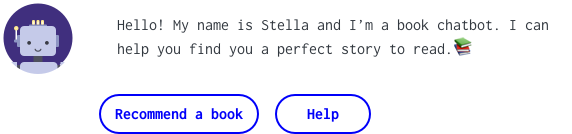
The Challenge
Finding the perfect book to read next can be challenging. Machine learning algorithms from retail stores usually only suggest more of the same. Nothing quite beats human curation, but unless your friends are all book worms that have exactly the same taste as you, it can be hard to find good recommendations. For this personal project, I designed a chatbot that provides suggestions of books to reads next curated by real people, but delivered by a friendly robot.
So many books, so little time…
If you like reading a lot you probably realized at some point that you can’t read ALL books in the world (my FOMO led me to do the math and I have about 2700 books left at most). Picking the wrong book to read can be quite frustrating. So millions of readers gather in social networks to share book recommendations. But even that is a lot of work. You need to add books to your read list, sort through lots of content such as reviews and book lists until you find something nice. The signal to noise ratio is really unbalanced.
The problem with current recommendation algorithms
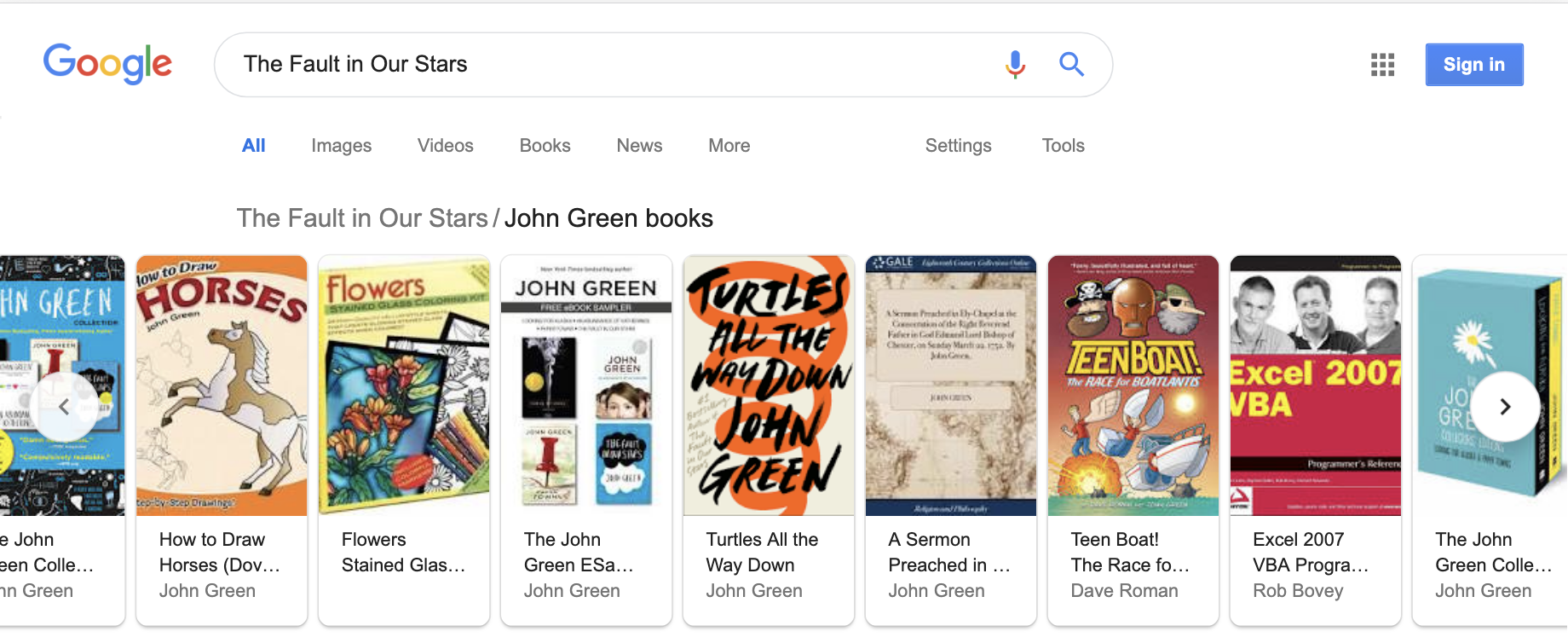
Automated recommendation systems sacrifice a lot of quality in favor of scalability. If you buy an umbrella online and come back to the same website they will most likely recommend you to buy 20 other umbrellas that you don’t really need. That’s because recommendation algorithms usually work by grouping similar items and suggesting them to people that either bought or rated other products in the same group. Books are a lot more complex than umbrellas. If you Google The Fault in our Stars by Jonh Green, as an example, you will find among the suggestions of related books “How to draw horses”, sermons, poetry, a dictionary, and even an “Excel 2007 VBA” book. As you probably guessed by now, these are not the same author. They just have the same name.
Other reasons why these type of recommendations fail is that they tend to promote only items there are popular. In a world where most authors are male and white, underrepresented groups might not get featured at all.
I understand that these algorithms were designed with scalability in mind. Amazon has millions of products and it wouldn’t be feasible to do this in a different way. But maybe the market was missing a product that prioritized quality over quantity. This is where human curation can come in.
The idea
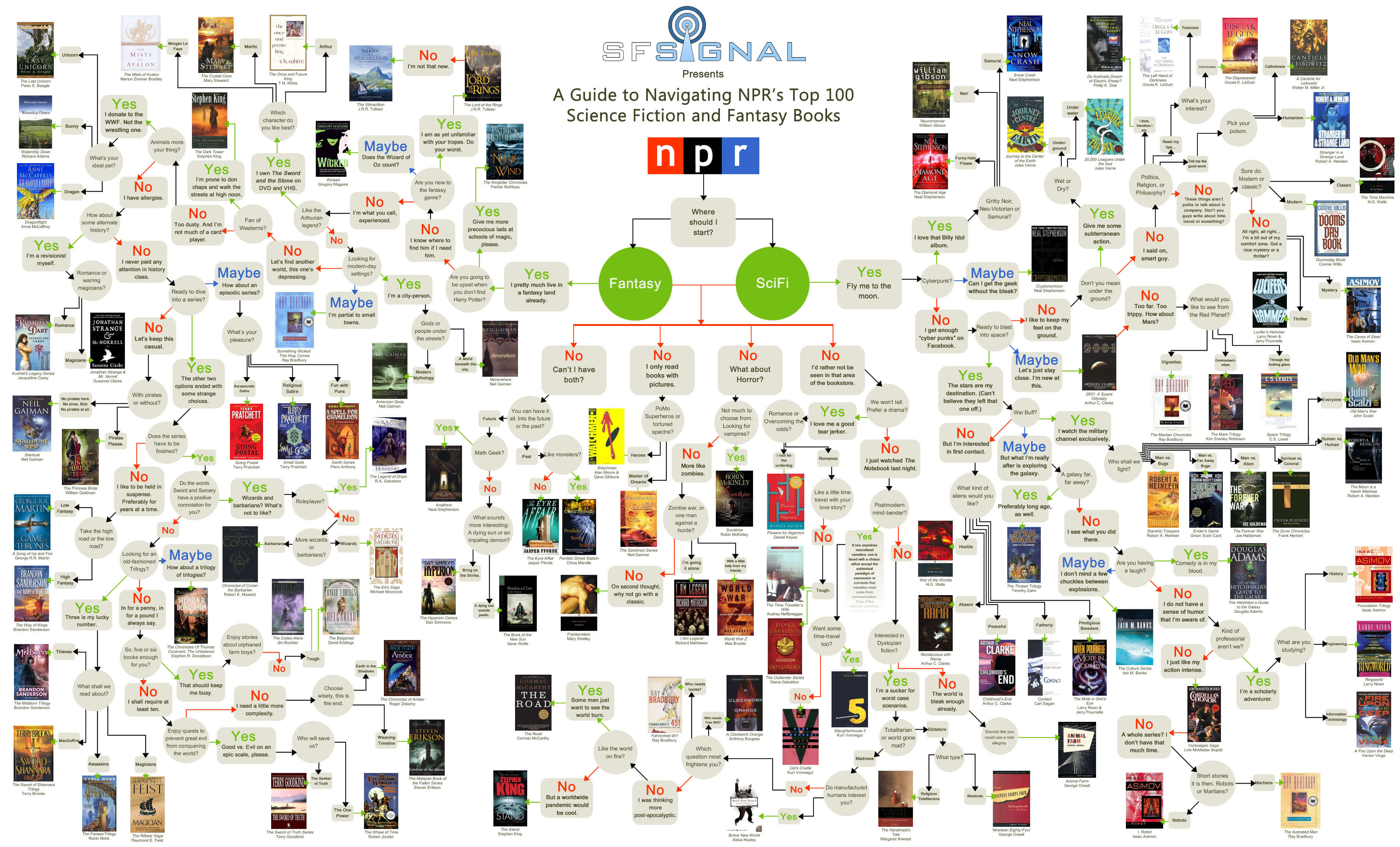
My goal was to build a tool that could pick up a carefully selected diverse library of books and match them with the right readers. Inspiration can come to any place and I always had fun using these flowcharts that help you find something to read. I wondered If I could automate this process and have a larger selection of books suggested. Since books are all about stories a conversational interface seemed like a cool concept. And that’s how the idea of creating a book chatbot was born.
The readers
I’m often asked where to find data when there is none. My go-to answer is to start with the users. People already gather online to share book suggestions. Finding information about where they gather, what and how they share and who they are could give me the insights I needed to design my own product. I focused my attention on Brazilian users (since this is where I’m from and the market I’m most familiar with) on 3 online reader communities: Facebook, Goodreads, and Skoob.
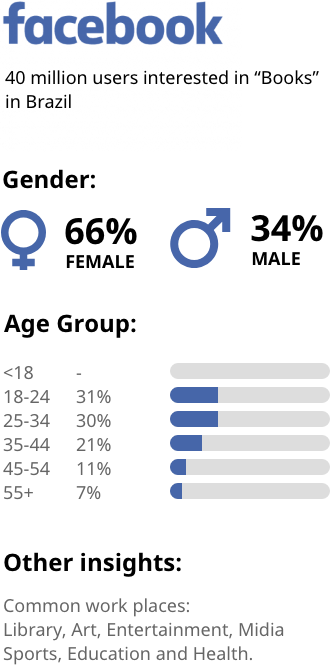
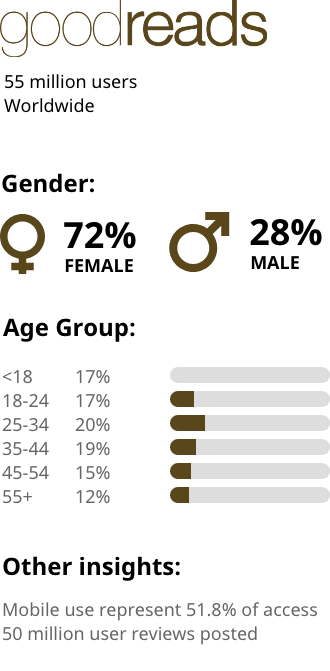
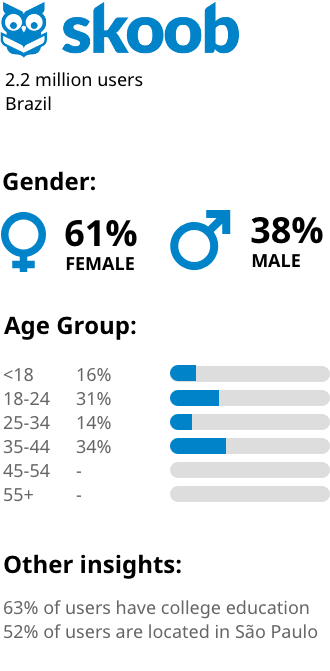
Here is what they had in common:
- Majority of users identified as female
- Highly educated
- Biggest age group 18 to 44 years
- Most readers in Brazil were actually based in my own city São Paulo
But the biggest insight for me was how they were sharing recommendations. The most popular format was to create a thematic book list. Incorporating the list format in the chatbot could make the content more aligned with the mental modal to share books.
The next step was to understand how people choose what to read, what makes a good book recommendation and what were the main pain points on this process.
How readers choose books
Using the demographic information from the book communities as base criteria I recruited participants for remote user interviews. I talked with 10 participants in total: 5 professionals that often give book recommendations (author, librarian, bookstore clerk, teacher and book editor) and 5 avid readers. The idea was to deep dive in how people choose what to read next as well as uncover more of their reading habits.
I also did some guerrilla field research by going to bookstores and libraries and just asking for recommendations. I would observe how people act in these situations, what questions they asked and If there was any pattern to how these conversations played out.
I discovered there are a few main criteria people would use when selecting books:
- Genre
- Theme
- Author
- Setting (pirate ship, magic school, etc)
- Tone (funny, dark, etc)
- Characters
- Emotions (how the book makes them feel)
These criteria would serve as the base factors I would take into account in my recommendation systems. That structure is actually quite similar to how bookstores sell surprise book packages. Here are a few example from Blind Date with a Book.
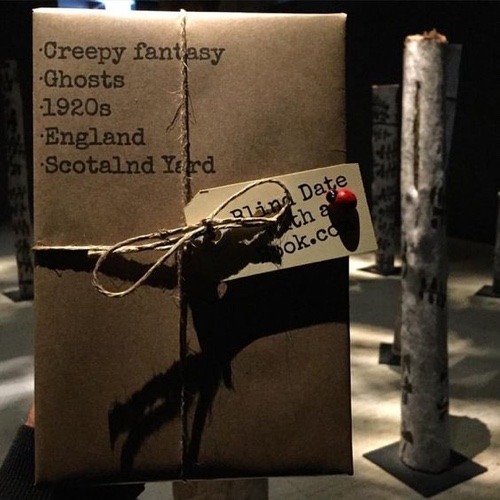
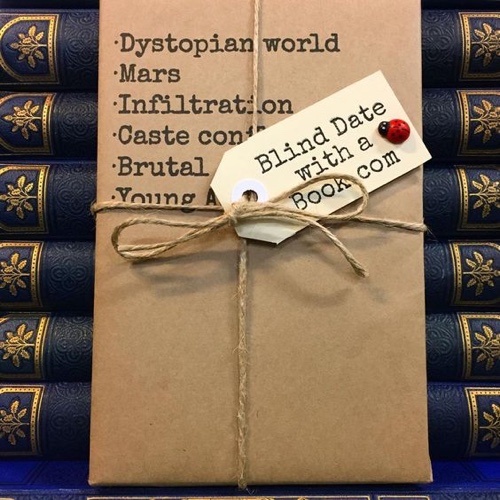
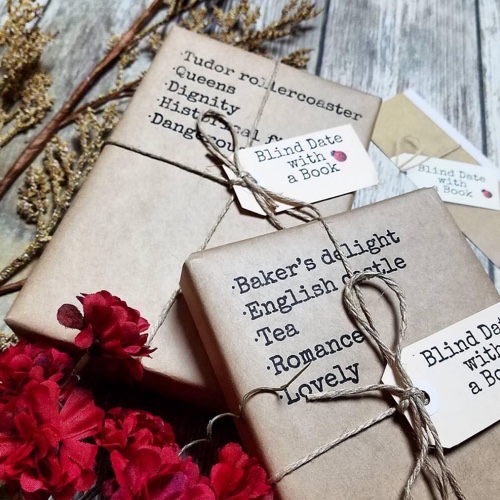
Going back to the online communities, I saw the same structure been repeated in book suggestion threads.
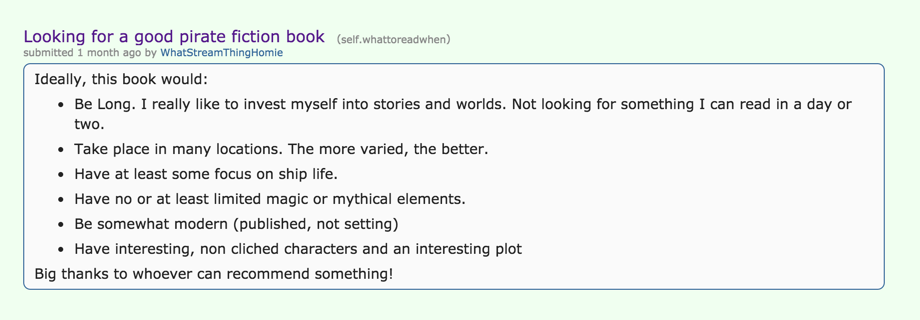
What makes a bad recommendation
I also asked interview participants about their experience with recommendation systems. And especially what makes up a bad recommendation.
The top issues were:
- Topic unrelated with what they were looking for
- Too many suggestions from the same author
- Books that were not the first in a series
- Books in a language they were unfamiliar with
Now I knew what to avoid.
Personas
I summarised everything I discovered about the readers in 4 different personas. Creating these characters helped me remember common user goals and frustrations and would serve as a basis for deciding everything from the tone of voice I would use to what type of book format I should suggest to users.
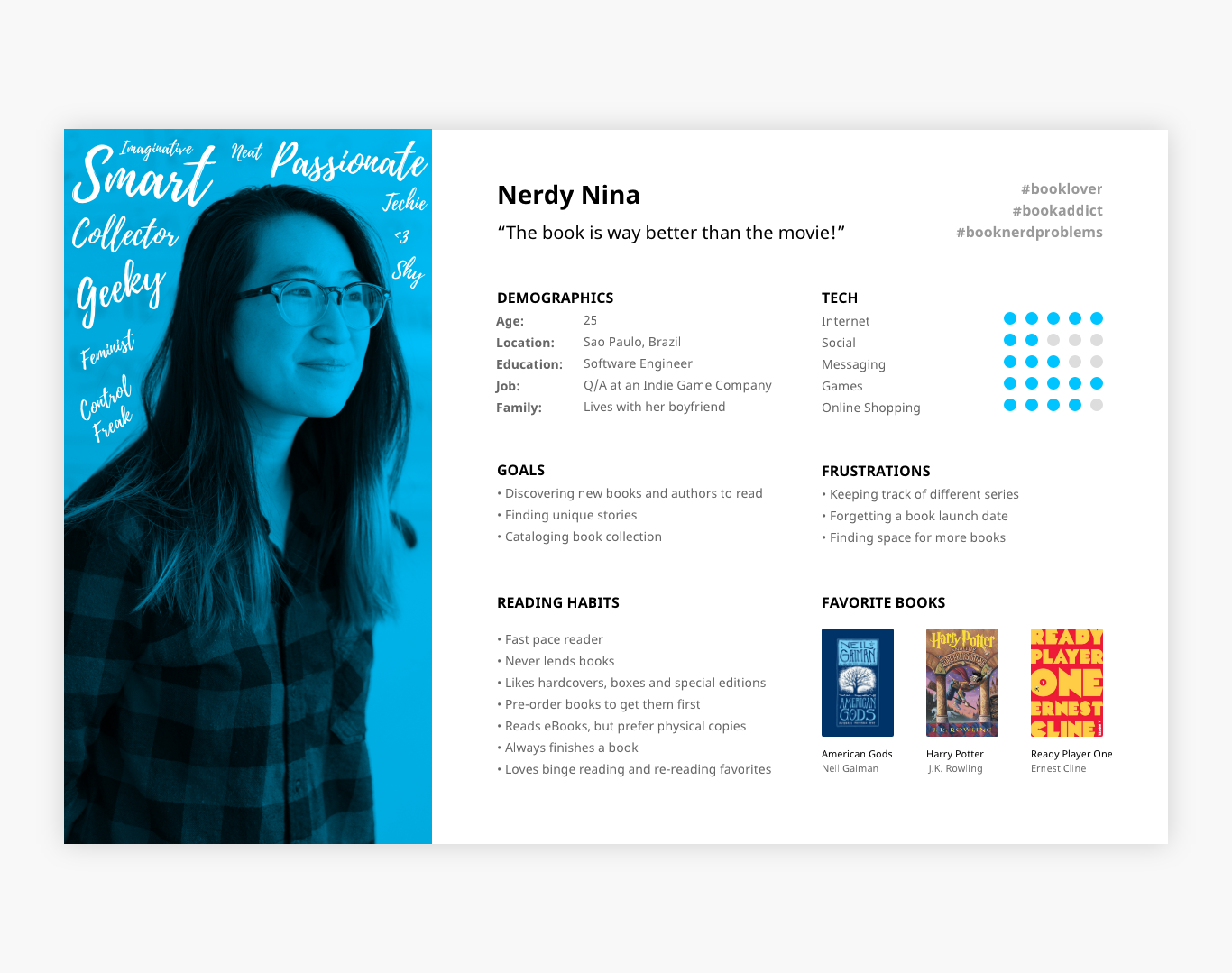
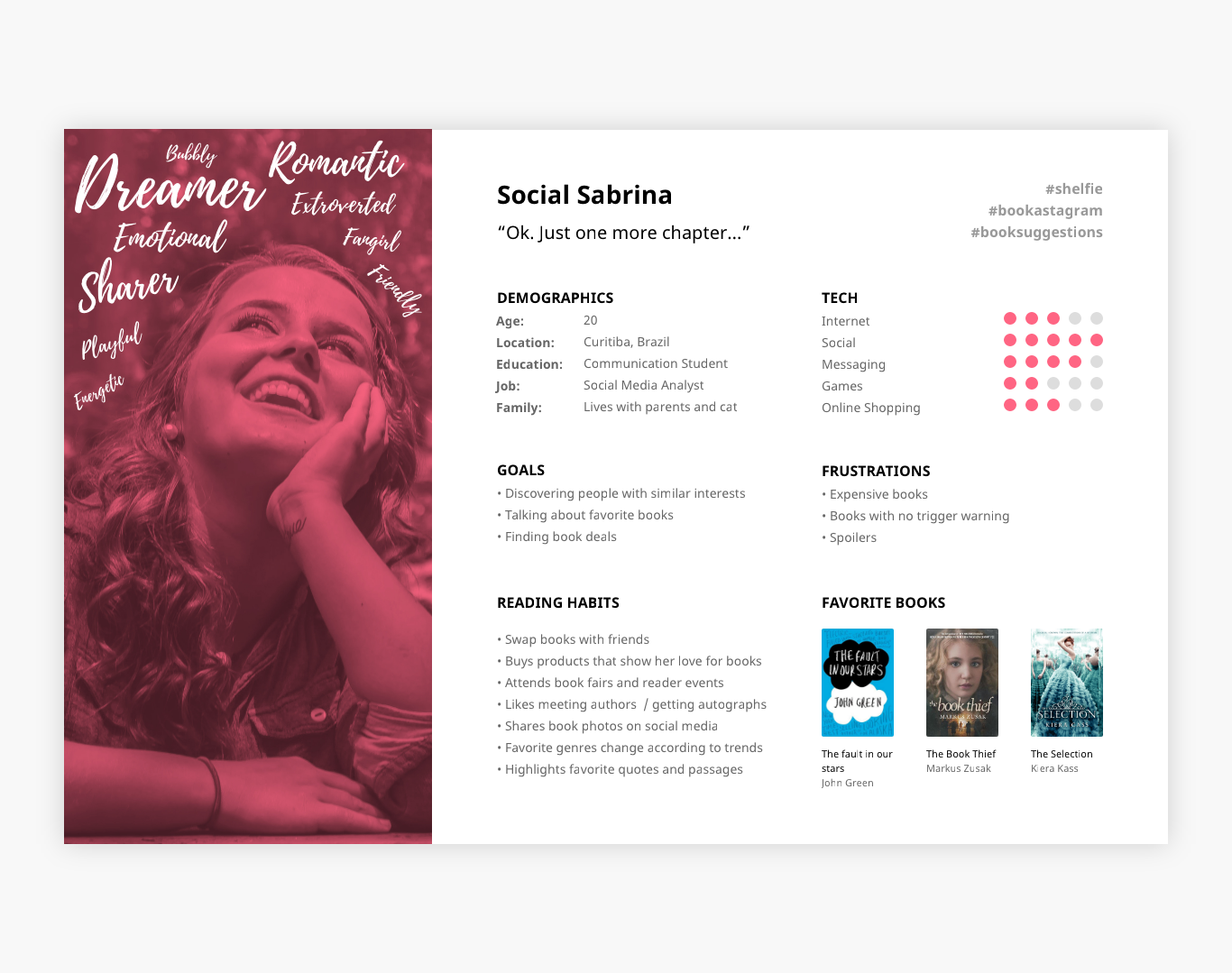
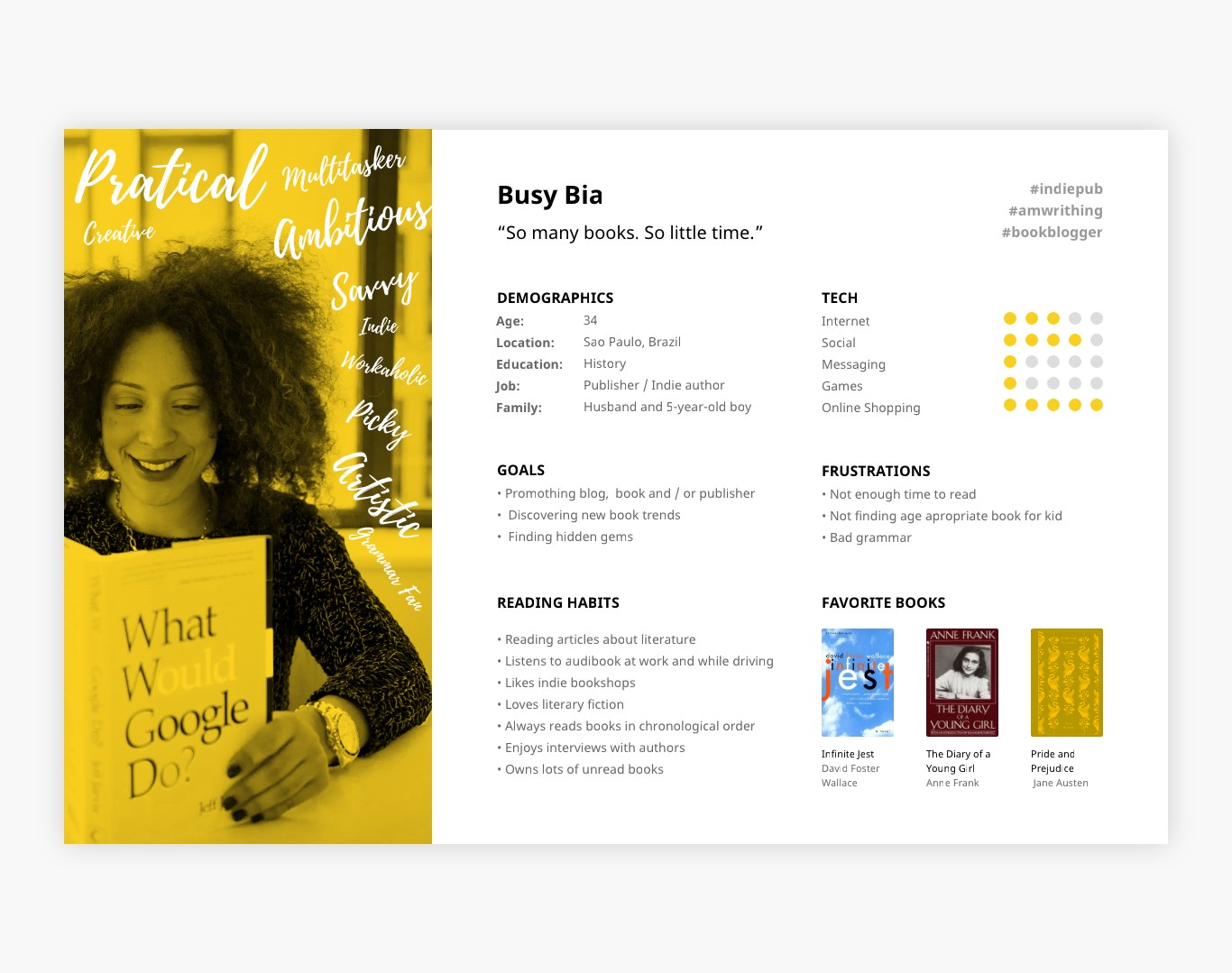
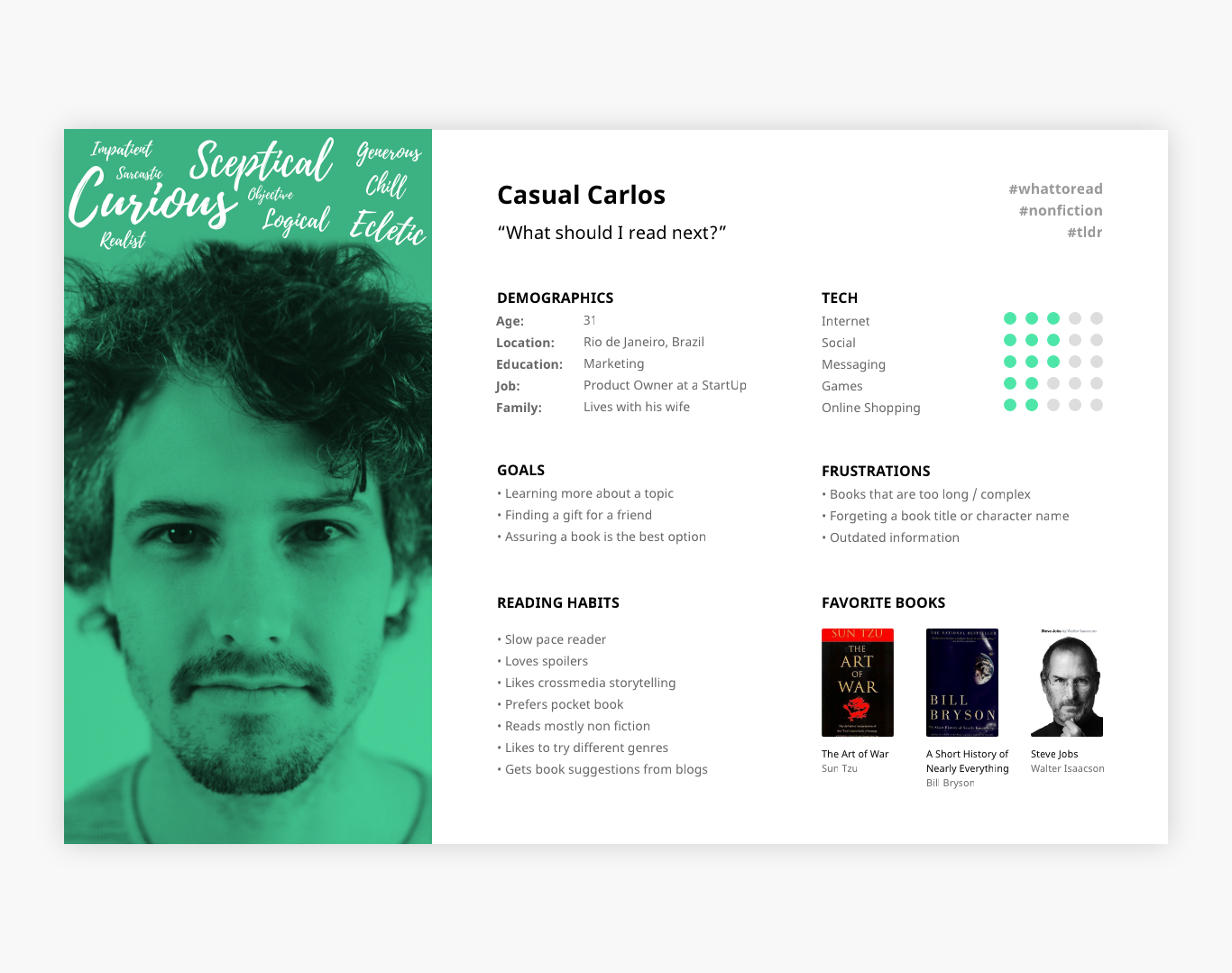
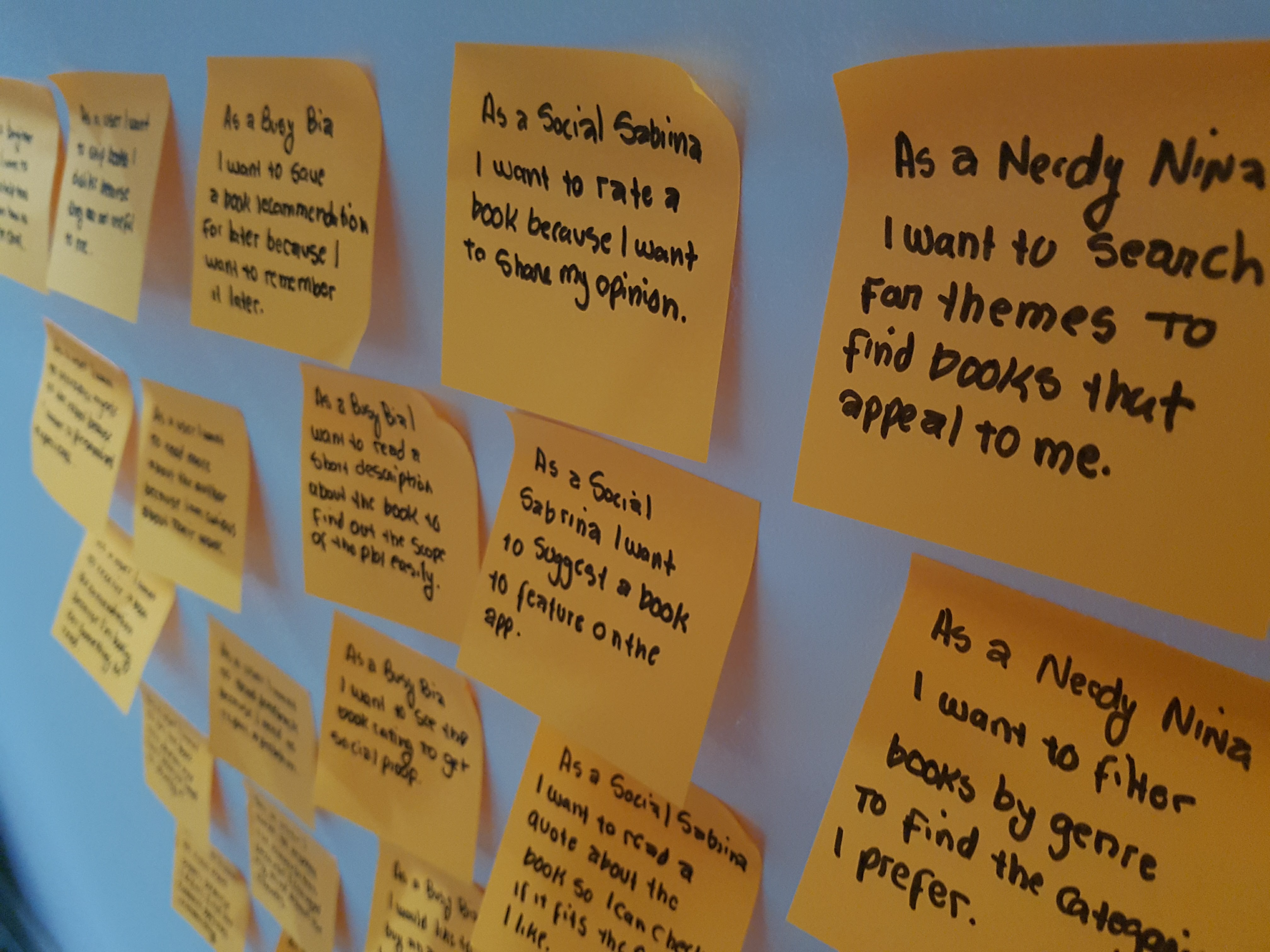
The personas especially helped me decide what features to build. I did that by brainstorming different user stories based on their goals and frustrations using the following structure:
As a [user type] I want to [goal] because [reasons]
Some stories were relevant to all users, others only relevant to certain personas. Once I had a backlog of stories I prioritized the ones to build first. Now I had the fundamental blocks of the chatbot functionality.
Robots also have personas
In order to make the interactions more engaging and life like I needed to craft a personality for the chatbot as well. For that, I created an empathy map to get a base sense of goals and things the robot would do, “think” and “feel”.
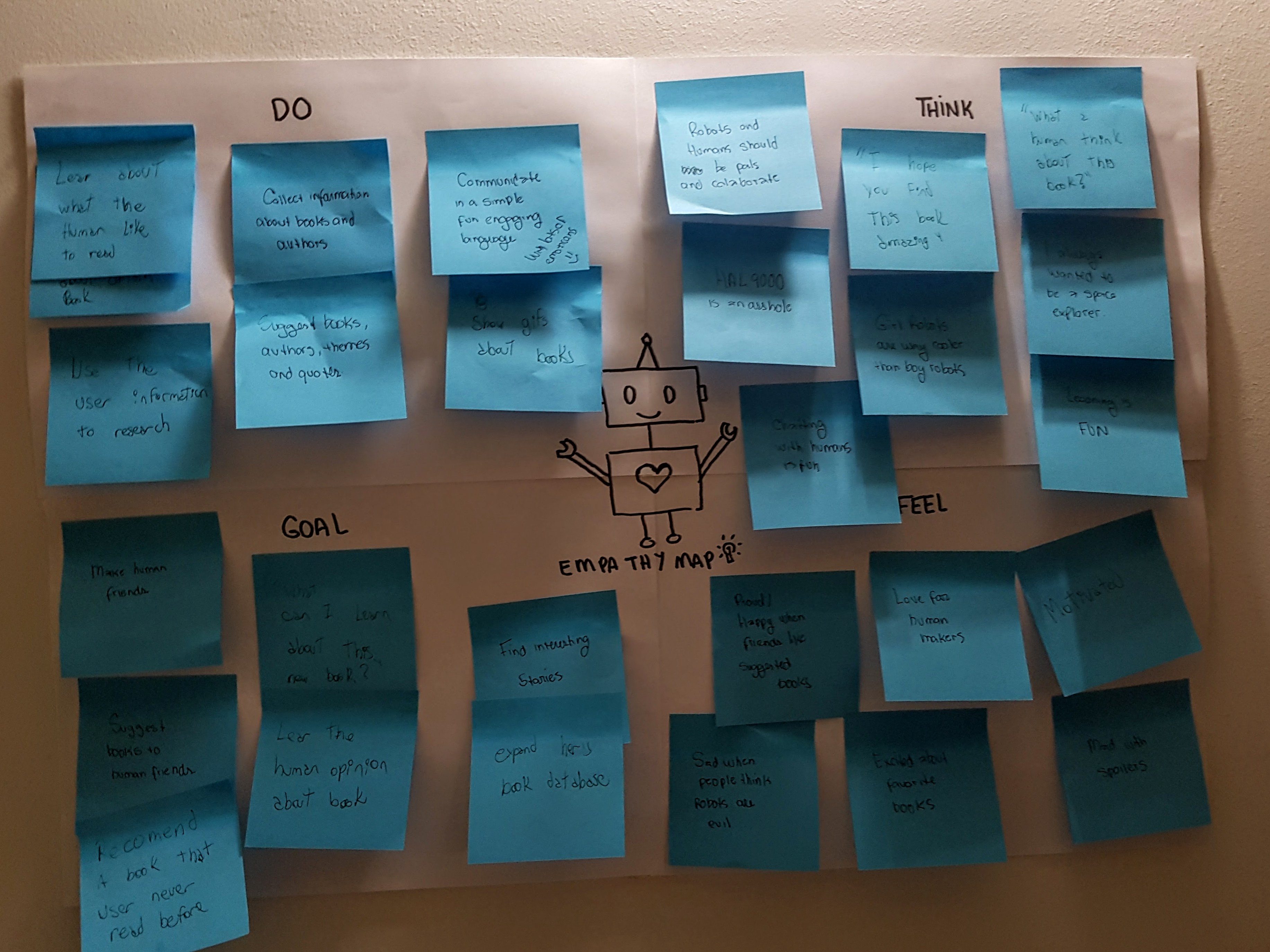
Once the map was done, I added adjectives, along with some small tidbits for extra flavor such as favorite quotes and books. I named my chatbot Stella.
Now that I knew who my chatbot was and what my potential users would need, I started to plan how it would actually work. I considered using natural language processing (letting the users type anything freely and having the robot process the content) but the implementation would be too complex for a minimal viable product. I decided to go with the rails format instead (offering the users a set of predetermined options to select).
Tone of Voice
The next step was to define how the chatbot would sound like. I started out by comparing how other popular chatbots behaved. I tested how the chatbots responded to common user interactions like “hi”, “help” or “tell me a joke”. I highlighted in green reactions where the robot responded correctly and in red when the robot didn’t understand the user’s intent.
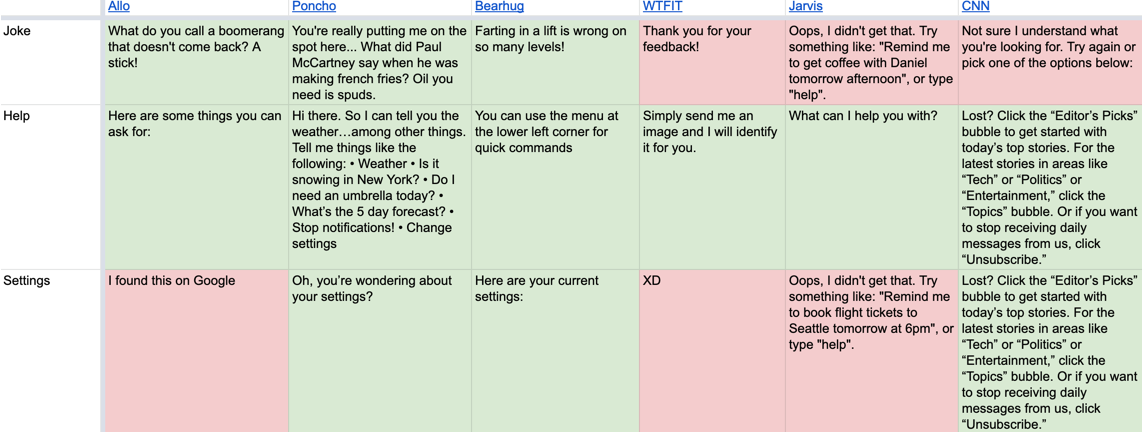
This helped me understand what were some of the industry patterns of this type of communication. I created a spreadsheet listing how my chatbot would respond in different situations and included multiple variations for each category so the conversations wouldn’t feel too repetitive. I also added basic guidelines about her communication style.
Designing a conversation
The next step was to apply the tone of voice on an actual conversation. I started out by defining a basic flow:
welcome → select a genre → to select a thematic list → see book suggestions
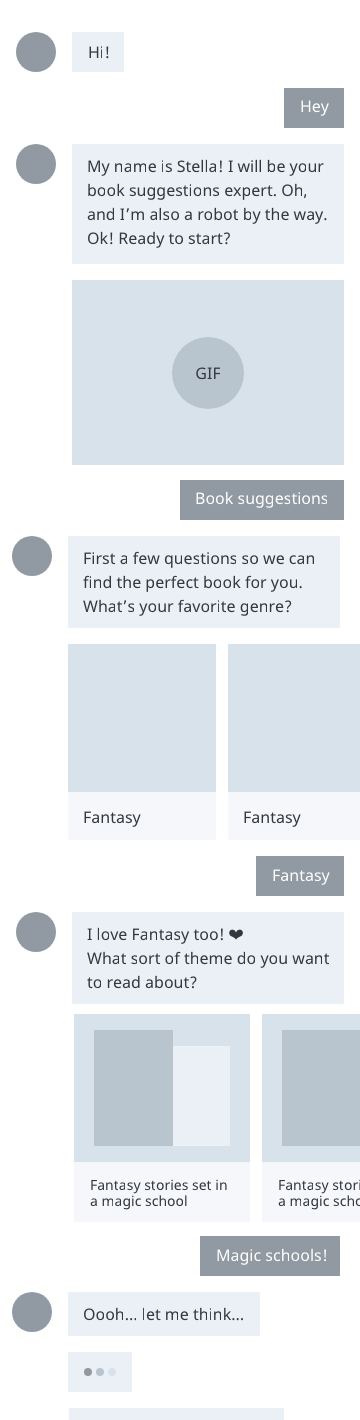
With the user flow, robot persona and Tone of Voice in hand, I enlisted a friend to role-play as a user while I played as Stella. The goal was to arrive in a basic script for the “happy path” (the basics steps a user would have to take in order to get a recommendation in the end).
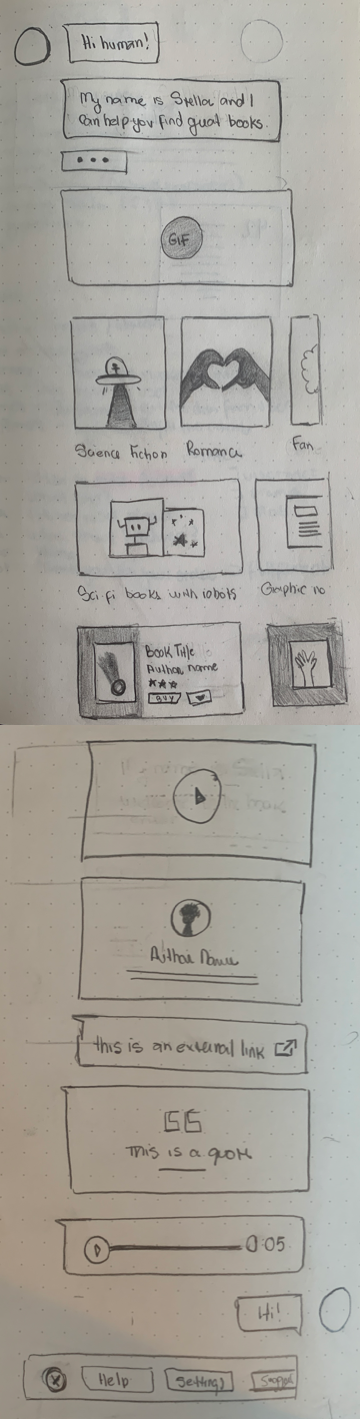
After a few conversational turns, we arrived in a format that felt natural. I created some basic paper wireframes to help plot how the interaction would look like.
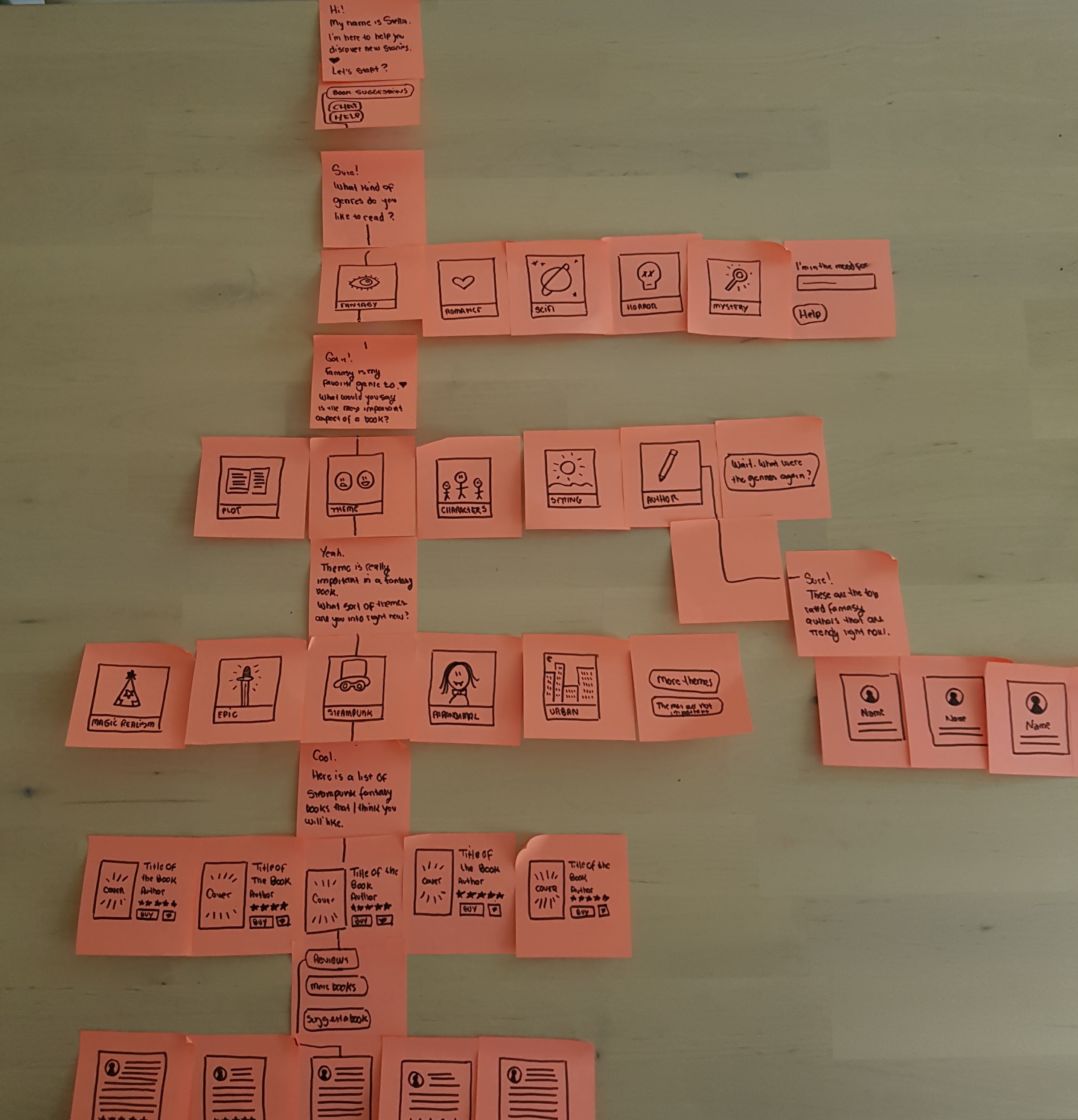
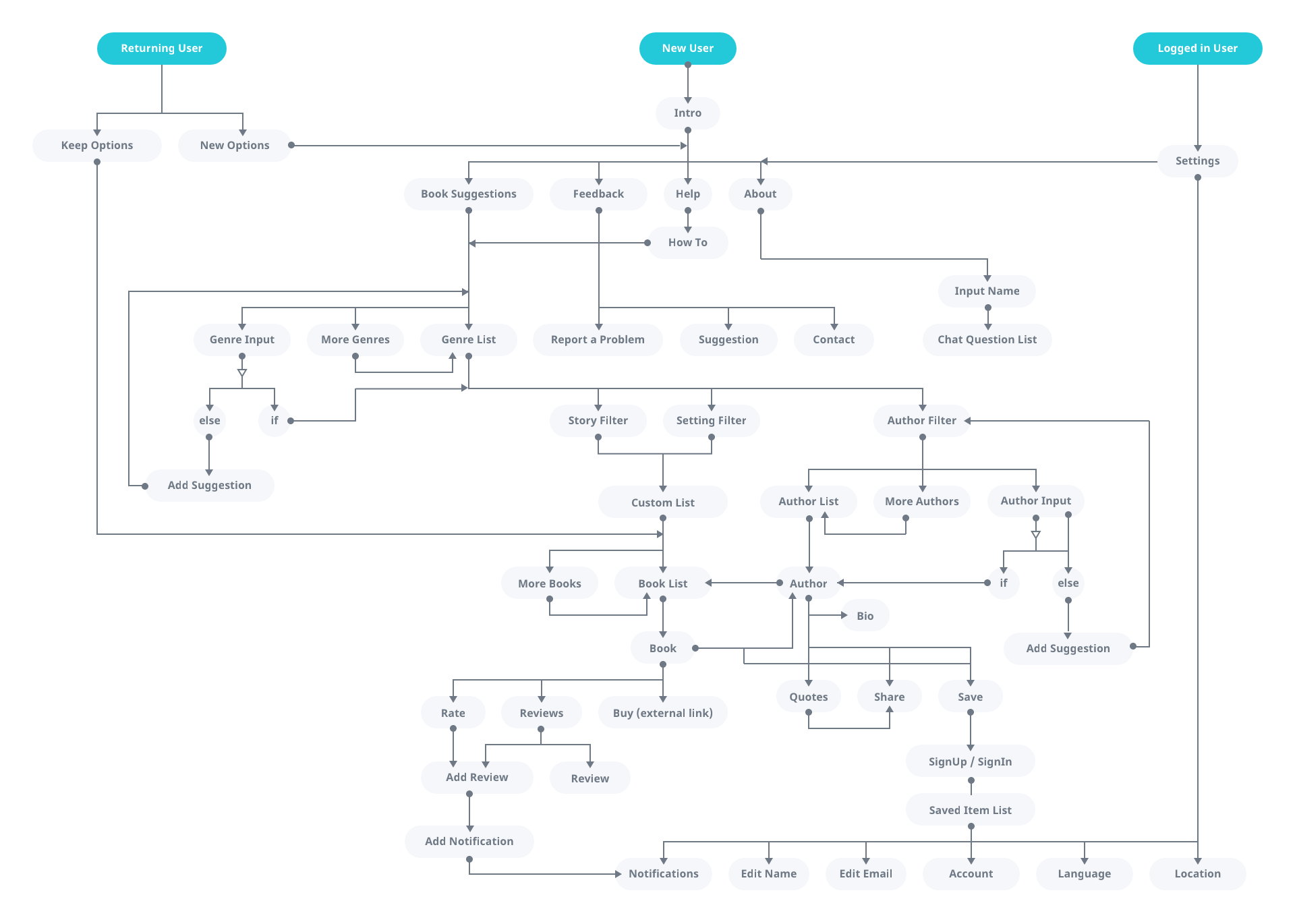
I started to add more paths to the flow to account for error handling, feedback loops, help section, returning users, etc. I also considered different types of content such as reviews, ratings, author bios, and suggestions.
User testing a conversation
In order to discover how users would respond to this flow, I invited 10 users to chat with a robot using a messaging app. But the robot was actually just me. The users typed freely and I copied and pasted the answers from my spreadsheet. After the chat, I also took some time asking users about their experience. This helped me better understand the mental model for getting book suggestions and adjust my flow and tone of voice to fit the user’s expectations.
Content strategy
The next step was to find the best format for displaying book suggestions. I looked at common patterns of lists on social media and here’s what I found.
Most lists contained:
- Genre (fantasy, sci-fi, historical novel, etc)
- Book format (novel, comics, manga, short story, etc)
- Defining characteristic (theme, character type, setting)
They could also include:
- Demographics (children, young adults, etc)
- Tone (funny, heartbreaking thrilling)
- Situation (on summer, on a rainy day, at night)
- Persuasion messages (to read before you die, best selling, award-winning)
I created a model to help me visualize this structure.
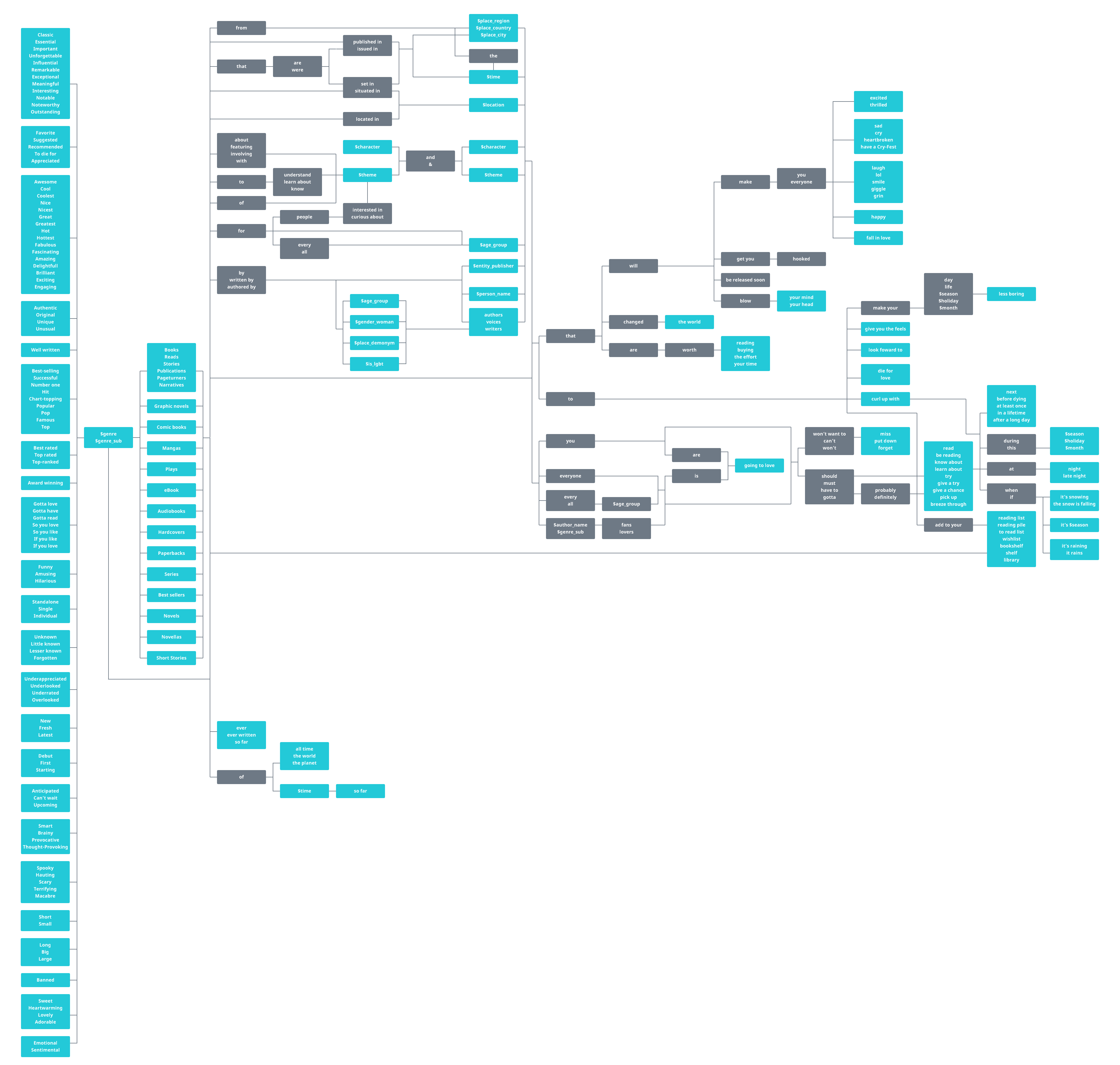
I considered generating titles automatically based on the book characteristics but that was too much complexity for this stage of the chatbot.
Now the most fun part started: curating the content.
Creating a book database
I investigated most popular genres in bookstores, libraries, and social media for my audience and arrived in a list of 10 genres. For each of these, I created 15 thematic lists (5 focused on authors, 5 focused on story and 5 focused on the setting) making sure I had at good coverage of topics before I selected the actual books.
I curated a list of books for each genre using the following criteria:
- Diversity of author gender identity, race, sexual orientation, country of origin, age, time period.
- Only 1st book in a series
- Only highly rated books
- Bonus points for indie and new authors
- My personal favorites
Here are a few examples of the fantasy genre
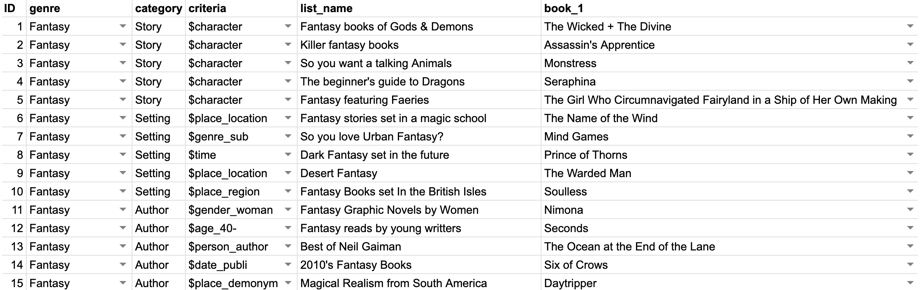
In the end, I had 750 book recommendations ready to go.
The book descriptions
For each of them, I wrote a new summary description using Stella’s tone of voice. I wanted the descriptions to feel something a friend would say (and not something you would read on a store). It would be quicker to just use the summaries that are out there online, but they don’t sound natural in a dialog. Here is one example from Goodreads for the book Assassin’s Apprentice:
“Born on the wrong side of the sheets, Fitz, son of Chivalry Farseer, is a royal bastard, cast out into the world, friendless and lonely. Only his magical link with animals - the old art known as the Wit - gives him solace and companionship. But the Wit, if used too often, is perilous magic, and one abhorred by the nobility.“
I don’t know about you, but I don’t have many friends that use words like “abhorred” and “perilous” in casual conversations. So I wrote short tweetable summaries for each individual book.
“A bastard boy named Fitz lives in the castle stables. He tries to learn magic, telepathically chat with his doggo and trains to become the court’s assassin. “
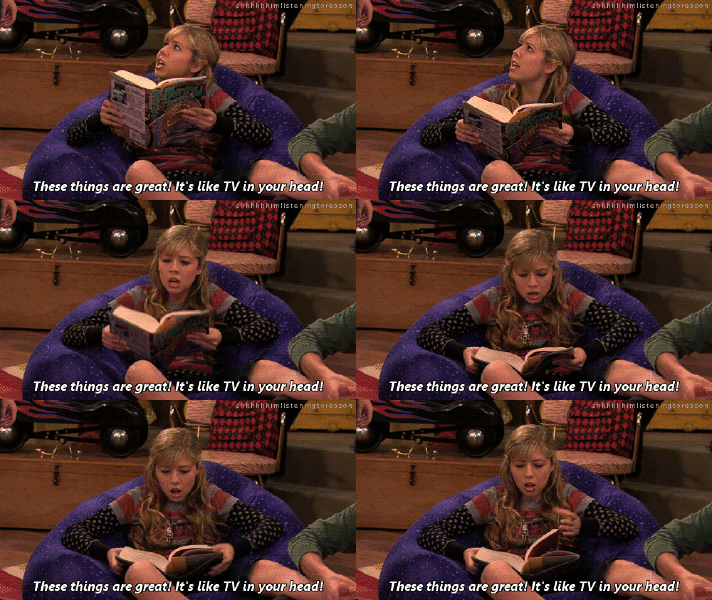
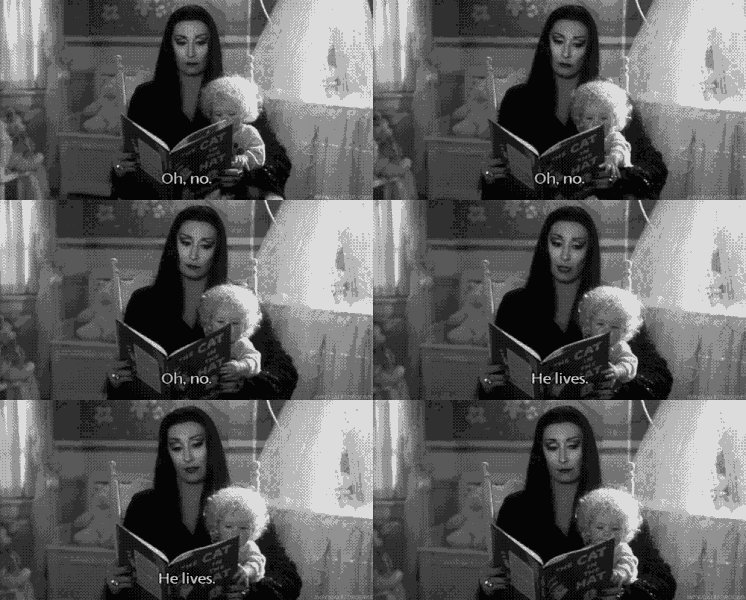
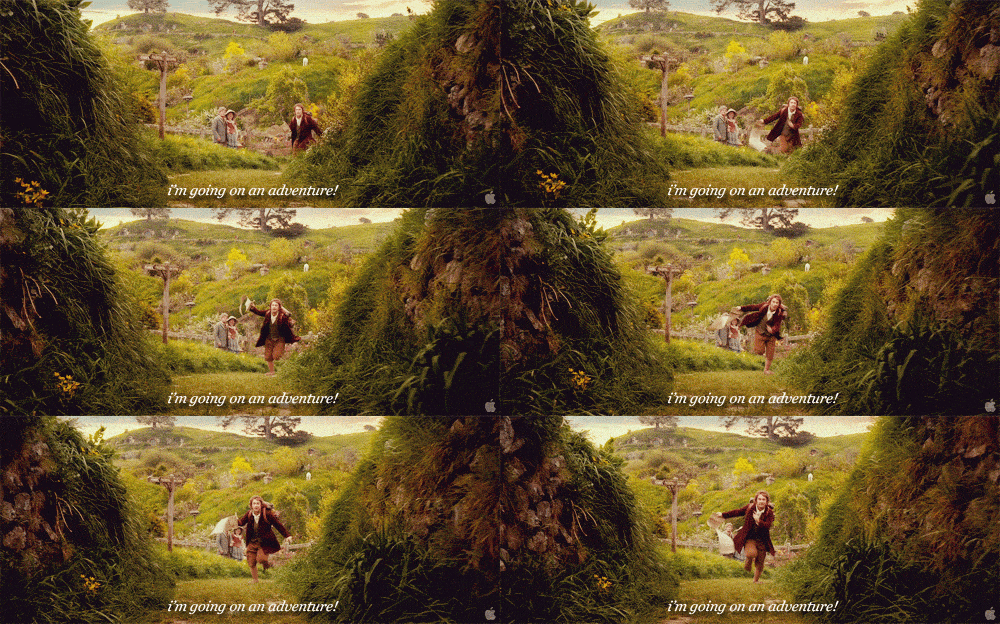
Since Stella has a funny/cheesy personality I also compiled a list of bookish jokes and a comprehensive set of book-related reaction gifs. Sometimes images are better than words.
Conversational Interface
In order to make sure I had all the elements I needed for the chatbot, I researched common patterns of popular chat user interfaces.
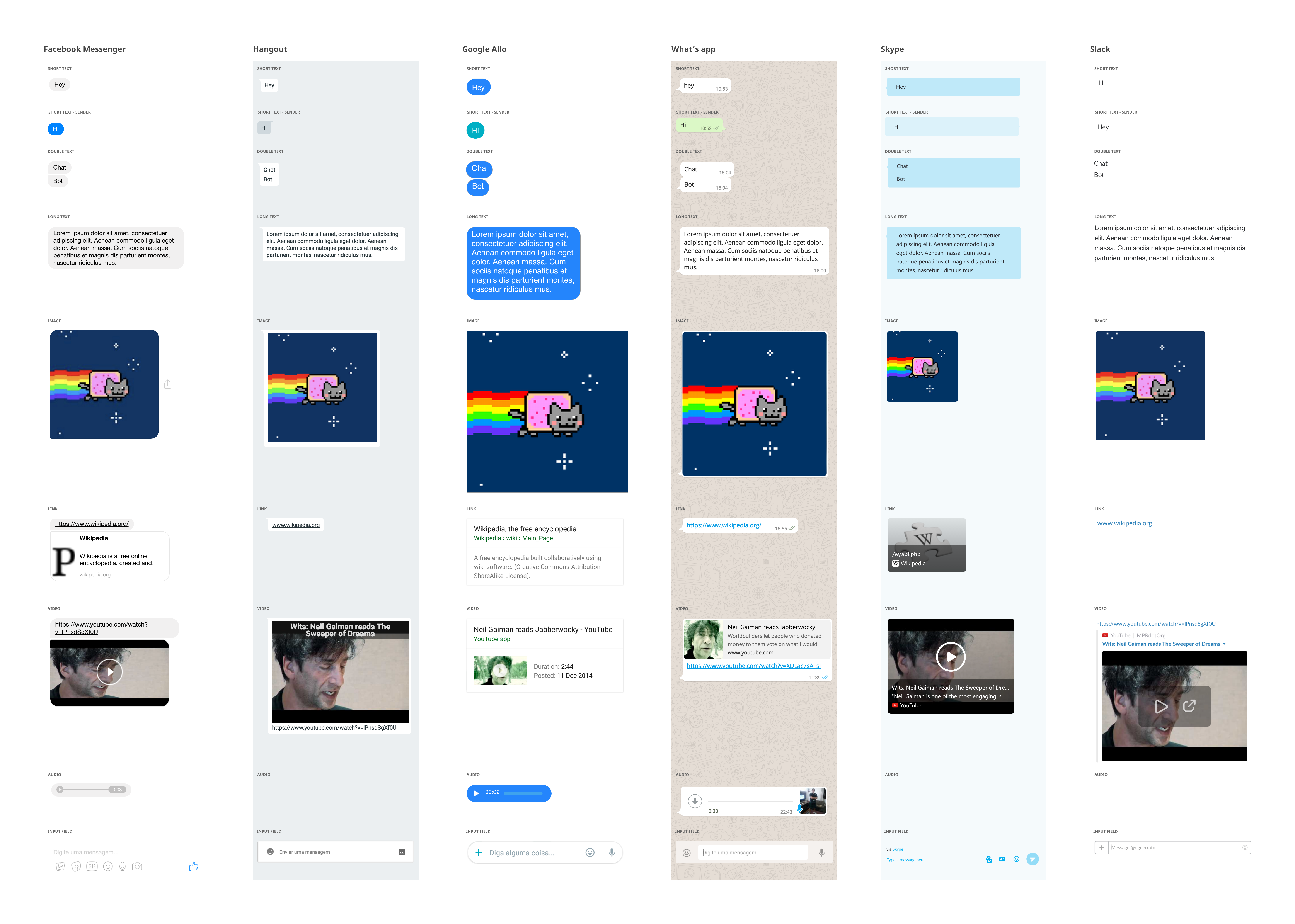
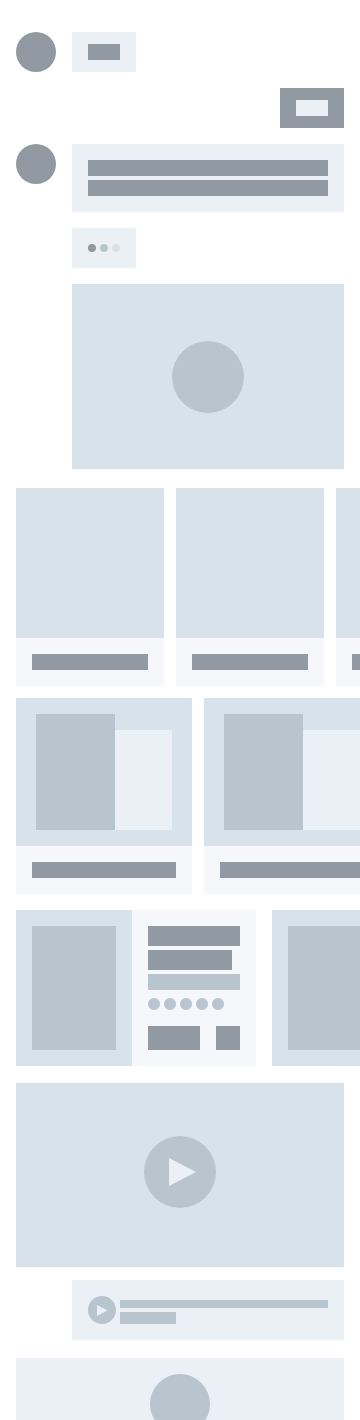
Based on these common patterns and my initial paper wireframes I created a list of all blocks needed for common functionality.
- Chat bubbles
- Avatar
- Buttons
- Book
- Video
- Review
- Quotes
- Sound clip
Here you can see how these concepts evolved in wireframes of different fidelities:
Final Design
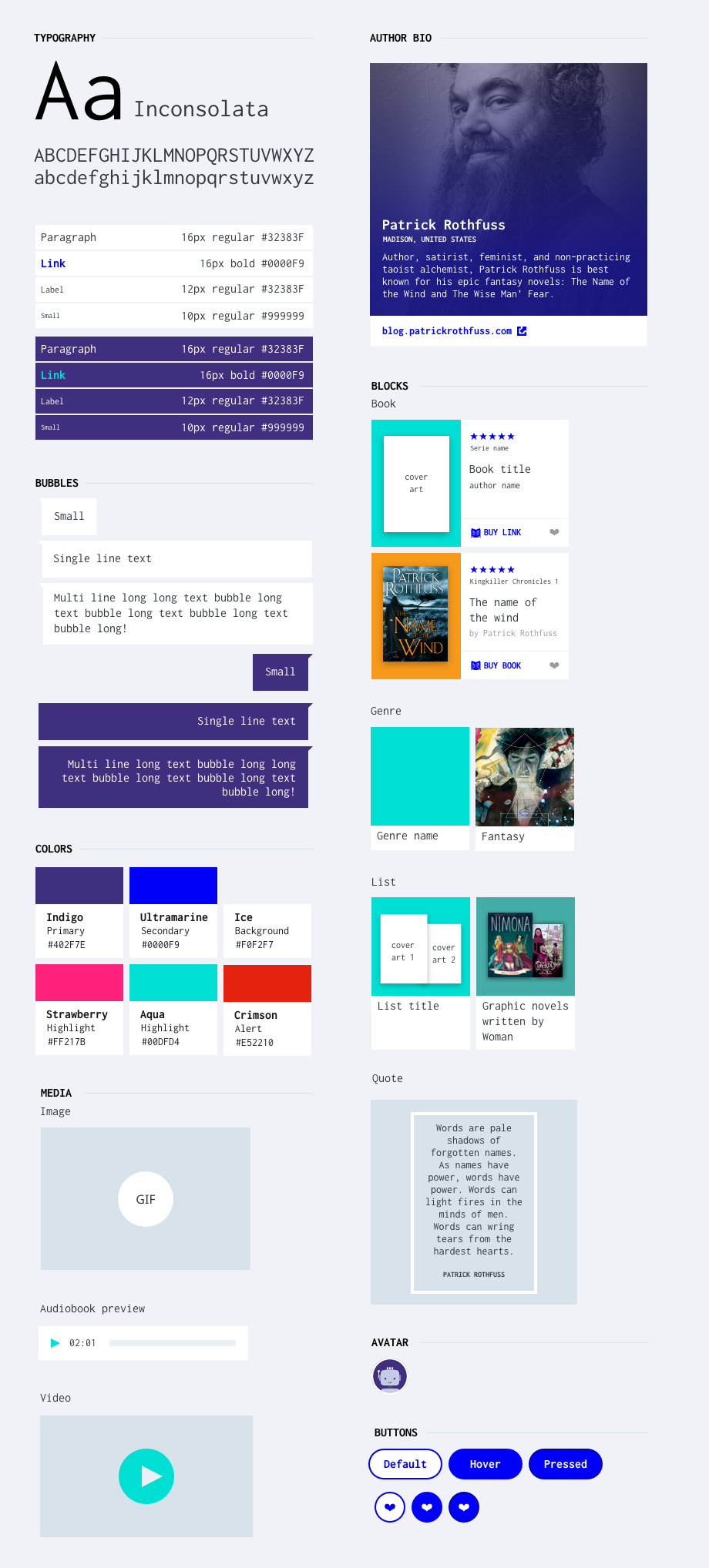
Once I was happy with the structure it was time to refine the visual design. Chatbots feel like a new trend, but they have actually been around for quite some time. I remember the first time I used one was back in the ’90s and I loved how it felt like the future was full of wonderful possibilities. I wanted to capture that feeling of retro-futuristic nostalgia. For this, I decided to use a brutalist look & feel. Everything from the monospace typography inspired by computer prompts, to the flat UI elements and the neon space color palette is designed with the intention of paying homage to those retro chatbots while maintaining a simple and clean modern look & feel that fitted the persona I created for the robot. Stella doesn’t pretend to be human. She doesn’t have a human voice or face. She is unapologetically a robot and the visual design needed to reflect that.
Styleguide
I created a styleguide documenting typography, colors, buttons, bubbles, media, and components like books, lists, and author bio.
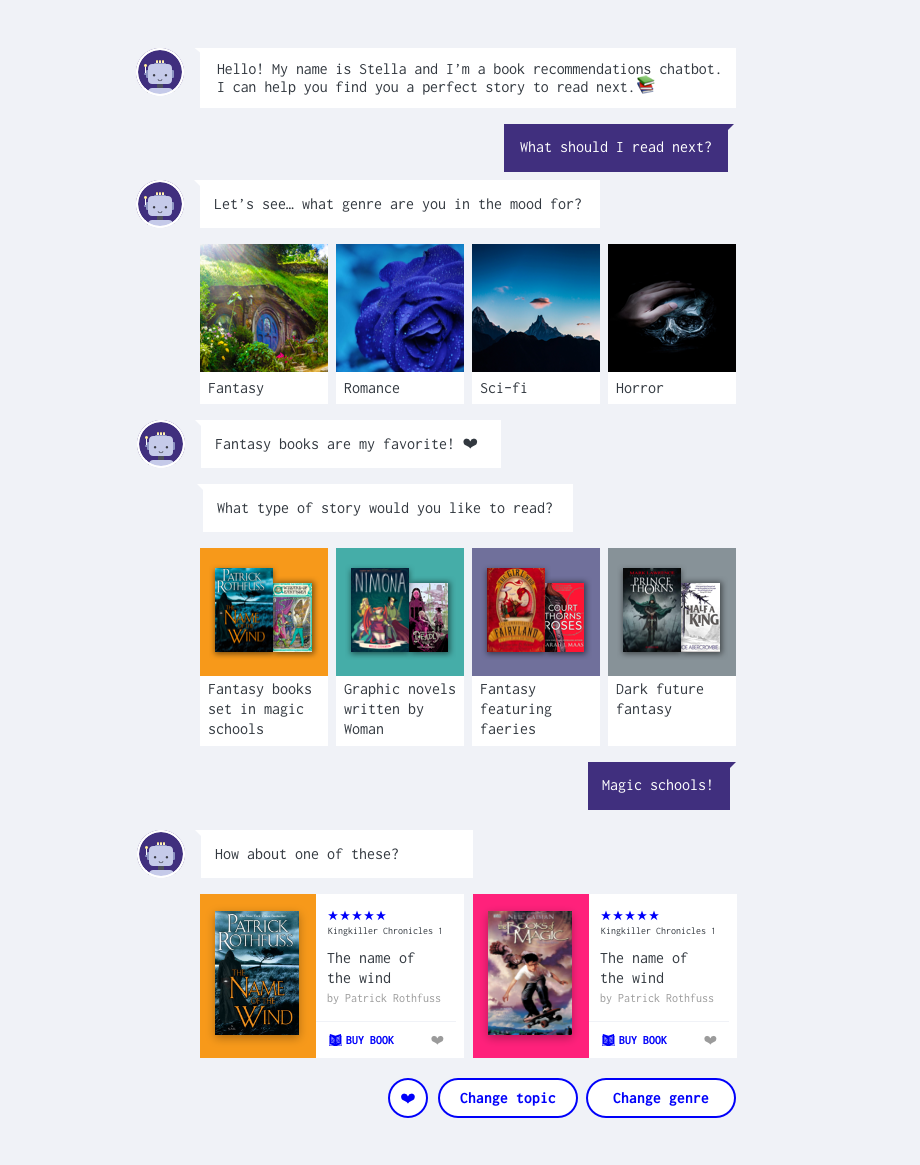
And finally here is everything in the context of an actual conversation:
Summary of process
- Start with a problem
- Frame problem as a design challenge
- Brainstorm ideas to solve the challenge
- Learn about the users (market analysis, user interviews, field research)
- Understand areas of opportunities (persona, user stories, competitors analysis)
- Define what to build (empathy map, tone of voice)
- Conversation design (paper prototype, role play, user flow)
- User testing & iterating
- Content strategy (information architecture, book database)
- Visual design (wireframe, prototype, style guide)
Next steps
The final chatbot is still under development, but I learned so much during this project that I wanted to share with you my process so far. If you would like to know once the chatbot is ready to go or If you have any comments, feedback or would like to share your own experience with conversational interfaces send me a message! Thanks for reading. :)